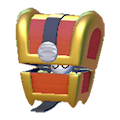
Gulpin and Swalot can hold items with their storage specialty. They provide extra space for materials while exploring, especially when your own bag is filling up.

Unlocking Gulpin's storage
- Find Gulpin and speak to it about its request for food.
- Give it one fresh carrot. Complete the request, then speak to it again to access its storage.
- Choose the dialogue option to view stored items and deposit the materials you want to carry as reserves.
- Invite it to follow you before leaving. If it stays in town, you will need to return to it to manage the items it holds.
Organising your supplies
Keep frequently used items and food in your own bag. Give your follower spare building materials or loot from your trip. This frees bag space without requiring a return to a stationary storage box after every collection.
Swalot offers the same specialty. Speak to it to check its storage; it does not automatically add slots to Ditto's bag. These are separate storage systems.
Finding items you deposited
Check which Pokémon received your items and open its storage. Depositing materials does not turn them into a permanent bag upgrade or make them accessible everywhere. If your storage helper gets left behind, retrace the route and find it before reorganising your supplies.