Two different problems can look like an empty habitat: the arrangement may not be recognized, or a valid habitat may still be waiting for a visitor. Check its identity first. Waiting longer cannot fix the wrong furniture, while rebuilding a valid arrangement may only restart your own work.
Check the arrangement first
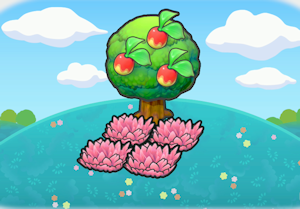
- Open the habitat entry and press X to inspect the exact ingredient names. Compare each item, including ordinary and large variants, grown plants, counts and any powered or lit state the recipe requires.
- Group the components closely and check the environmental condition: water, height or another required setting is part of the recipe. Confirm that the intended habitat registers.
- Once it is valid, leave it available and continue other tasks. Check later for shaking grass or water, or a visible Pokémon with a special yellow speech bubble, and interact to finish meeting it.
Give rare visitors a fair chance
Check the target species' time and weather conditions. Several species can share a habitat, so the first visitor need not be the one you wanted. Preparing separate copies can help cover multiple undiscovered species, but does not guarantee an immediate rare spawn.
Hints are useful, but not a construction lock
You can build a habitat before finding its hint. A missing hint is therefore not the first thing to blame when a correct arrangement fails. Recheck the actual objects and setting, then distinguish a missing visitor from an existing resident that has simply wandered away.