A water clock turns changing flow into repeated activations. It uses a one-block Hatch window as a gate and two Laser sensors: one feeds the flow change back to the gate, while the other passes the pulse to your chosen decoration. Build a small exposed test instead of hiding the mechanism immediately.
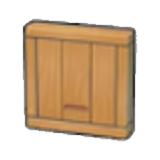
Assemble the flow loop before adding the source
- Prepare a short contained channel with space beside it for the gate and sensors. Leave two working sides available: the water route and the side where the output device will sit.
- Fit a one-block Hatch window to interrupt the water. Position the first sensor with its red face watching the changing flow and its output beside the gate. Position the second to watch the same flow and activate the intended output side.
- Add the water source last and open the gate. Confirm that starting and stopping flow triggers the feedback and produces repeated changes before attaching a large installation.
Connect the decoration only after the loop repeats
Place a compatible movable object beside the output sensor and test it. For a blinking electric light, the control mechanism must also switch an actual powered supply, for example through a controlled waterwheel and wireless transmitter. A signal alone does not generate electricity.
If the loop stops
Trace the channel, check sensor directions and confirm the gate really stops and releases the water. Test each component alone before reconnecting the loop. Keep unrelated Pokémon and moving objects away during diagnosis, since their motion can add unwanted activations.