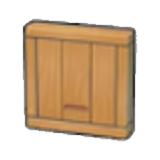
A circuit sends an activation signal to compatible nearby furniture. That signal is separate from electricity: a lamp may need power as well, while a door can react without a generator. Begin with one visible door so each change is easy to check.

Start with a floor switch
- Place a door in a small test wall and put a Floor switch close enough to affect it. Step onto the switch and off again to check the door's response before covering the mechanism.
- For motion detection, obtain the Laser sensor recipe from Rocky Ridges' shop at Environment Level 6. Face its red detecting side toward the approach and keep the target door adjacent on its output side.
- Walk through the detection area and test the signal. The sensor can detect nearby Pokémon, moving objects and liquid as well as Ditto, so remove unrelated moving elements during setup.
Do not assume one pulse means automatic closing
A sensor changes a target's state when it detects movement. A single pulse can leave a door open until another activation; it is not automatically a complete open-and-close controller. Use the floor-switch behavior for a simple entrance or test the additional detection needed for your chosen layout.
If nothing reacts
Check the red face's direction and keep the movement within two blocks in front of it. Then check the target's proximity and compatibility. Only investigate the electrical network if that target actually requires electricity. Leave the circuit exposed until it works in both directions of travel.